What Maintenance Is Required for Google Nest Thermostat?
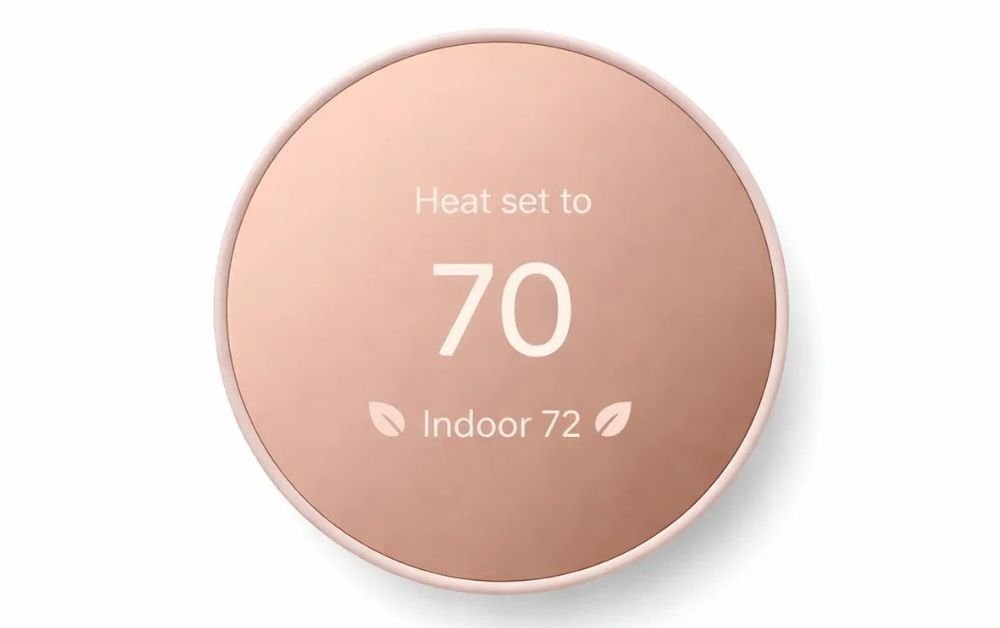
If you’ve got a Google Nest Thermostat at home or in your business, you’re already ahead when it comes to smart, energy-efficient temperature control. But like any tech, it needs a little care & attention to keep it running smoothly for years. Don’t worry, it’s not complicated—just a few simple steps can make a big difference. Here is what you should be doing to keep your Nest Thermostat in top shape:

Regular Software Updates
One of the best things about the Nest Thermostat is that it gets automatic software updates, which is great for keeping things running smoothly. These updates make sure your thermostat’s security is up-to-date, and sometimes, they even add new features. Just make sure your thermostat stays connected to Wi-Fi so it can download updates as soon as they’re available. If you skip them, you might end up with bugs or even security risks down the line.
Keep It Clean
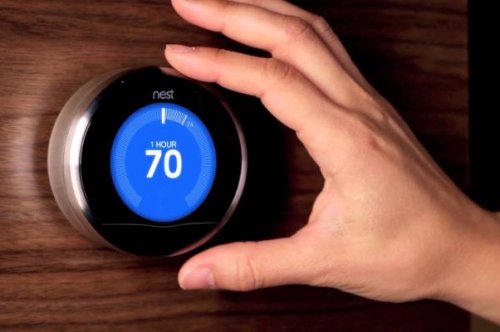
Over time, dust & fingerprints can build up on your thermostat’s touchscreen, which can make it less responsive. To keep it working properly, just grab a soft, dry cloth & gently wipe it down. No need for harsh chemicals or water sprays—they can damage the screen and sensors. A clean thermostat not only looks better but ensures it is easy to use and the temperature readings are accurate.
Check the Wiring and Connections
Even though the Nest Thermostat is designed to be easy to install, it’s a good idea to check the wiring from time to time, especially in older homes. Loose or poorly connected wires can cause the thermostat to act up, meaning your HVAC system might not be working properly. If you notice any issues, it’s best to call in a professional. This is especially important for businesses or larger properties in the UAE, where reliable cooling and heating are a must.
Keep an Eye on the Battery
If your model uses a rechargeable battery (some do), it’s important to make sure it stays charged. The thermostat typically charges from your HVAC system, but if for some reason it isn’t charging properly, you might see a low-battery alert. Keeping an eye on this prevents sudden shutdowns, so the thermostat can keep managing your temperature as it should.
Seasonal Checks
It’s a good idea to check your thermostat & HVAC system together, especially when the seasons change. Prior to the heat of summer or the chill of winter sets in, make sure everything is syncing up properly. Take a moment to double-check that your temperature schedules, energy-saving modes, and sensor calibrations are still accurate. Doing this helps keep energy use in check and makes sure your space stays comfortable no matter the weather.
Calibrate the Sensors
Nest Thermostats use sensors to monitor your room temperature and adjust things accordingly. Over time, those sensors might need recalibration to stay spot-on. If you notice that your thermostat reads a different temperature than what you’re feeling in the room, it could be time to recalibrate. This simple adjustment ensures your thermostat is always working accurately & efficiently.
Related read:-More Intelligent Temperature Control for Modern Homes
Update Your Energy-Saving Settings
A big reason people love the Nest Thermostat is for its energy-saving features. Things like Eco Mode, smart scheduling, & integration with other devices are perfect for cutting down on electricity use. But those settings need to be updated every now and then to match your changing routine or the seasons. Make sure you’re tweaking these settings regularly so you’re getting the most savings, mainly as occupancy patterns change.
Make Sure It Plays Nice With Other Smart Devices
If your Google Nest Thermostat is part of a bigger smart home setup, don’t forget to check that it’s still properly integrated with your other devices. Whether you’ve got smart lights, motion sensors, or voice assistants, make sure the firmware is up-to-date, and that everything is working together smoothly. When everything syncs up, your home or business runs much more efficiently and comfortably.
Call in a Pro When Needed
Even if you’re on top of regular maintenance, it’s always a good idea to get a professional to take a look now and then. They can spot things like wiring issues, sensor malfunctions, or software glitches that you might miss. For businesses, or larger homes with a lot of technology, professional inspections are mainly useful for preventing bigger problems down the line.
In Conclusion
Taking care of your Google Nest Thermostat is not difficult, but a little regular attention goes a long way. Keep it clean, make sure the software’s updated, check the wiring occasionally, and adjust your energy-saving settings to stay on top of everything. And if you ever need aid, you can always rely on a trusted google nest thermostat supplier in UAE & technician to make sure your system’s working as efficiently as possible. For those in the UAE, Al Rayan Services Ltd is here to provide reliable products and expert support to keep your Nest Thermostat running perfectly.